728x90

API Gateway 패턴은 마이크로서비스 아키텍처(MSA)에서 필수적인 요소입니다. 이는 클라이언트(웹 브라우저, 모바일 앱)가 복잡한 백엔드 마이크로서비스에 직접 접근하는 것을 막고, 모든 요청을 단일 진입점(Single Entry Point)으로 통합하여 관리하는 역할을 합니다.
NestJS는 HTTP 서버와 마이크로서비스 클라이언트 역할을 동시에 수행할 수 있으므로, API Gateway를 구축하는 데 매우 적합합니다.
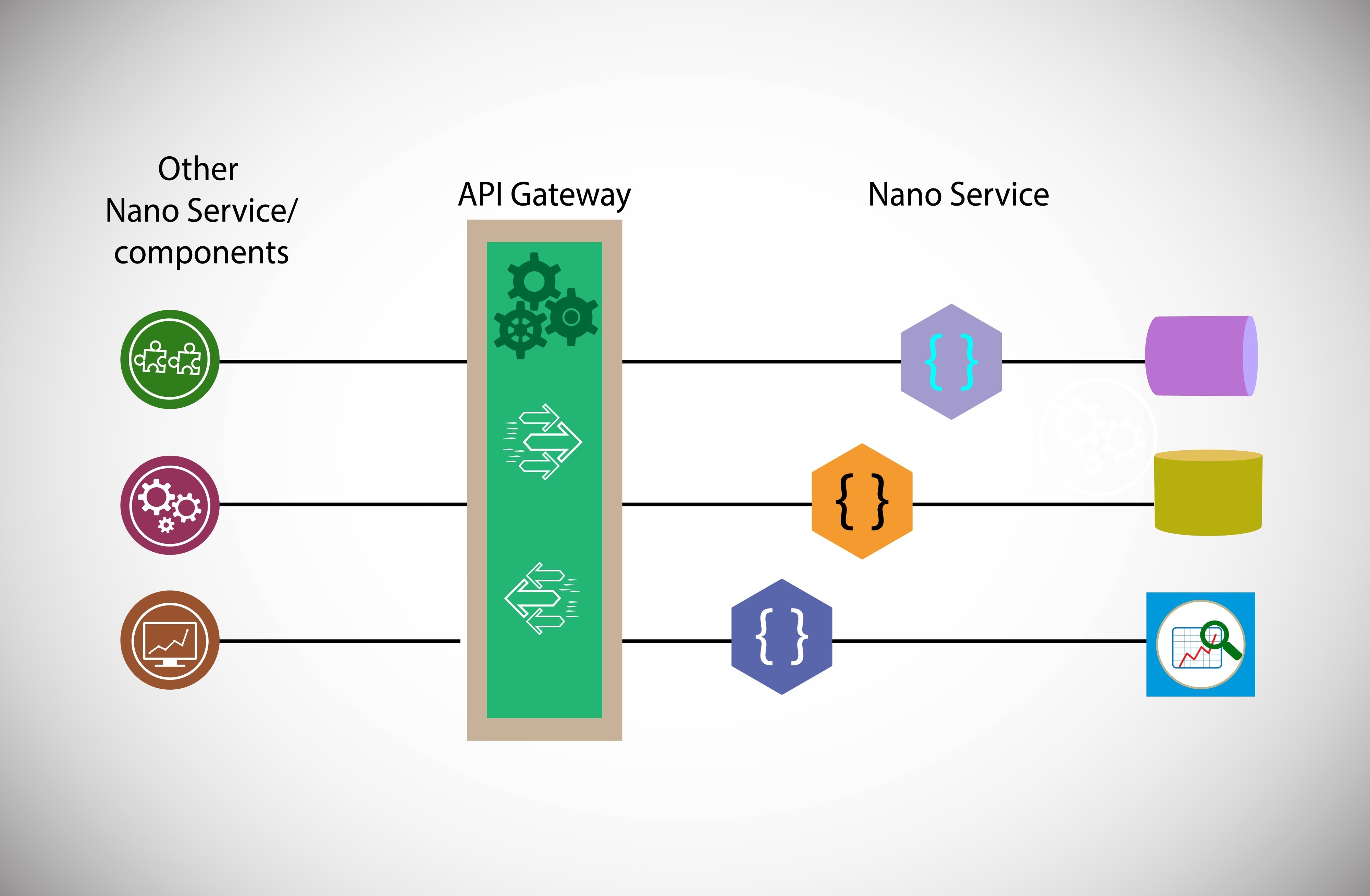
Shutterstock
1. API Gateway의 역할 및 이점
| 역할 | 설명 |
| 요청 라우팅 (Routing) | 클라이언트 요청을 받아 적절한 내부 마이크로서비스로 전달합니다. (예: /users 요청을 User Service로) |
| 인증 및 인가 (Authentication/Authorization) | 클라이언트의 JWT 토큰을 검증하고, 인증된 사용자만 내부 서비스에 접근하도록 통제합니다. (가장 중요한 역할) |
| API 조합 (Composition) | 여러 마이크로서비스로부터 데이터를 받아 하나의 응답으로 조합하여 클라이언트에게 전달합니다. |
| 로깅 및 모니터링 | 모든 인바운드/아웃바운드 트래픽에 대한 로깅 및 트래픽 제어를 수행합니다. |
2. NestJS로 API Gateway 구현
NestJS에서 API Gateway는 HTTP 컨트롤러와 마이크로서비스 클라이언트 (ClientProxy)의 조합으로 구현됩니다.
728x90
A. Gateway 모듈 설정 (ClientsModule)
Gateway는 통신할 모든 내부 마이크로서비스의 ClientProxy를 등록해야 합니다.
// src/app.module.ts (API Gateway 프로젝트)
import { Module } from '@nestjs/common';
import { ClientsModule, Transport } from '@nestjs/microservices';
import { UsersController } from './users.controller';

@Module({
  imports: [
    ClientsModule.register([
      {
        name: 'USER_SERVICE', // User Service로 요청을 보낼 클라이언트
        transport: Transport.TCP,
        options: { host: '127.0.0.1', port: 3002 },
      },
      {
        name: 'PRODUCT_SERVICE', // Product Service로 요청을 보낼 클라이언트
        transport: Transport.TCP,
        options: { host: '127.0.0.1', port: 3001 },
      },
    ]),
  ],
  controllers: [UsersController],
})
export class AppModule {}
B. 요청 라우팅 및 조합 (Controller)
HTTP 요청을 받아 해당 요청에 필요한 마이크로서비스 클라이언트를 호출하고 응답을 조합합니다.
// src/users/users.controller.ts
import { Controller, Get, Param, Inject } from '@nestjs/common';
import { ClientProxy } from '@nestjs/microservices';

@Controller('users')
export class UsersController {
  constructor(
    @Inject('USER_SERVICE') private readonly userServiceClient: ClientProxy,
    @Inject('PRODUCT_SERVICE') private readonly productServiceClient: ClientProxy,
  ) {}

  // 1. 단순 라우팅 및 요청-응답
  @Get(':id')
  async getUser(@Param('id') id: string) {
    // 내부 User Service로 'get_user_by_id' 패턴을 가진 메시지 전송
    return this.userServiceClient.send({ cmd: 'get_user_by_id' }, id).toPromise();
    // Microservice의 응답을 받아 HTTP 응답으로 클라이언트에게 전달
  }

  // 2. 데이터 조합 예시 (Composition)
  @Get(':id/details')
  async getUserDetails(@Param('id') id: number) {
    // 1. User Service에 사용자 정보 요청
    const user = await this.userServiceClient.send({ cmd: 'get_user_by_id' }, id).toPromise();

    // 2. Product Service에 사용자의 최근 주문 목록 요청
    const orders = await this.productServiceClient.send({ cmd: 'get_orders_by_user' }, id).toPromise();

    // 3. 두 응답을 조합하여 단일 HTTP 응답으로 반환
    return {
      userInfo: user,
      recentOrders: orders,
      count: orders.length,
    };
  }
}
728x90
C. 인증 구현 (Guard 활용)
API Gateway는 모든 외부 요청을 받기 때문에, NestJS Guard와 Passport 모듈을 사용하여 사용자 인증 및 권한 검사를 수행하는 최적의 위치입니다.
- 클라이언트 (User): JWT 토큰을 HTTP 헤더(Authorization: Bearer <token>)에 담아 Gateway로 요청합니다.
- Gateway: @UseGuards(JwtAuthGuard)를 컨트롤러에 적용하여 토큰을 검증합니다.
- Gateway: 인증이 완료되면, 요청을 내부 마이크로서비스로 라우팅합니다. (내부 서비스는 이미 신뢰할 수 있음)
이러한 방식으로 API Gateway는 복잡한 내부 아키텍처를 숨기고, 클라이언트에게는 일관되고 안전한 인터페이스를 제공합니다.
728x90
'Nest.js를 배워보자 > 12. Microservices — NestJS로 MSA 만들기' 카테고리의 다른 글
| 서비스 간 인증 (Service-to-Service Authentication) (0) | 2025.12.03 |
|---|---|
| RabbitMQ, Kafka 연동 (이벤트 기반 통신) (0) | 2025.12.03 |
| TCP 기반 마이크로서비스 (Microservice) (0) | 2025.12.03 |